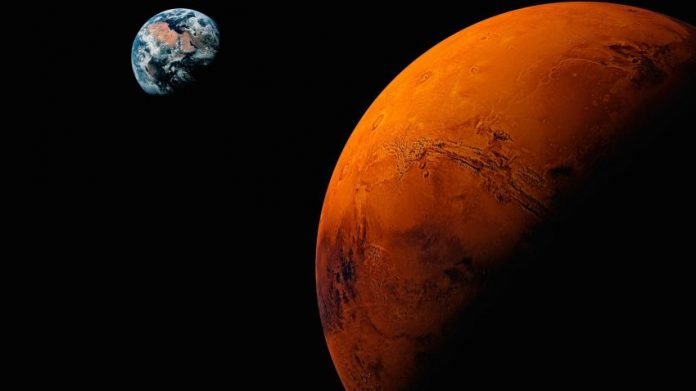
Start wild, stack vivid details, end with "hyper-detailed cinematic lighting, surreal atmosphere". Watch ordinary words explode into impossible worlds.
Grok is xAI's maximally truth-seeking AI, now supercharged under SpaceX, and Imagine is its built-in tool for turning text into stunning creative visuals.
The video shown is made with Grok Imagine, using my Prompt Generator below, with all its prompt values available as defaults in this prompt generator, easy to explore and reuse.
This generator helps you specify details for lighting, camera, scene, style, colors, mood, weather, season, the subjects in the scene, and much more.
Make dreams come true, in minutes.
INTRODUCTION
Unlock stunning, high-quality videos in minutes with this Grok Imagine prompt generator.
By crafting ultra-specific video features, you gain full creative control. This tool helps you become a true master of Grok video creation. The video above was created with this tool — and every default value you see comes straight from this video, ready for you to explore, tweak and reuse.
STEPS
Here is how you could build your first prompt.
- Come up with your own idea and edit the sections or use the default values.
- Click Generate to update the prompt data.
- Click Copy (to clipboard) or Download (save it locally).
- Before you parse the prompt to Grok Imagine, you can ask Grok to add special features to your prompt.
- Go to Grock Imagine, paste the final JSON Prompt.
- Wait a few minutes and Viola!
FEATURES
You have the following features, with keyboard shortcuts.
- [Alt-P] Previous Section.
- [Alt-N] Next Section.
- [Alt-G] Generate Prompt.
- [Alt-C] Copy Prompt.
- [Alt-D] Download Prompt.
- [Alt-I] Import Prompt.
TIPS
If it's your first prompt, here a some tips.
- Explore the default values to better understand what you can do.
- Use the Download feature to save you changes locally.
- Use the Import feature to load and edit your prompts.
- When you have a valid prompt, use the Copy feature, and go to Grok Imagine and paste in your prompt, after you have selected the video settings.
- In a fews minutes your video it done and you can see the results.
- Enjoy!
OUTPUT
The output of this generator is a JSON formatted text, which defines a structured representation of your prompt.
// A JSON object with a set of properties expressed as name:value pairs.
{
  "name1": "value1",
  "name2": "value2"
}


// A JSON list (array) of values.
[
  "value1", "value2"
]


// A JSON list (array) of objects.
[
  {
    "name1": "value1",
    "name2": "value2"
  },
  {
    "name1": "value1",
    "name2": "value2"
  }
]USING IMAGES
In Grok Imagine you can reference attached images, in your prompt, via the @ImageId tag.
Use the @ImageId tags in the generator section fields to point out attached images to use as a baseline to a scene, character, subject etc. Example:
{
  "scene": {
    "environment": "exterior looking like @Image1",
  }
}| GENERATE | COPY | DOWNLOAD | IMPORT |
Meta
This section contains metadata about the prompt itself, including version, creator, and generation settings. It's useful for versioning, tracking, and configuring the underlying image generation model.
- Required: Yes, for tracking changes.
- Values: Any version string (e.g., "1.0", "2.0", "beta").
- Example: "2.0".
- Required: Optional, but good for documentation.
- Values: Any name or identifier (e.g., "Grok AI", "User XYZ").
- Example: "Grok AI".
- Required: Yes, to guide the tool's focus.
- Values: Common intents like "image_generation", "concept_art", "portrait", "landscape".
- Example: "image_generation".
- Required: Optional, for elaboration.
- Values: Any descriptive text.
- Example: "Ultra-detailed structured JSON prompt for Grok Imagine to generate a highly intricate cyberpunk cityscape scene with maximum control over elements, styles, and technical parameters. Designed for photorealistic output with immersive depth and atmospheric effects."
- Required: Yes, to ensure compatibility.
- Values: Model names like "Grok Imagine with Flux.1 integration", "Stable Diffusion", "DALL-E".
- Example: "Grok Imagine with Flux.1 integration".
Generation Parameters
Technical settings for the image generation process (e.g., diffusion model hyperparameters).
- Required: Optional, defaults to random.
- Values: Any non-negative integer (e.g., 0 to 2^32-1).
- Example: 42.
- Required: Optional, defaults vary by model.
- Values: Typically 20-100; higher for more detail.
- Example: 50.
- Required: Optional, defaults around 7-8.
- Values: 1.0 to 20.0; common range 5-10.
- Example: 7.5.
- Required: Optional, used in variations.
- Values: 0.0 to 1.0.
- Example: 0.75.
Image
Defines the intended use or category of the generated image.
- Required: Yes, to set context.
- Values: Categories like "concept_art", "illustration", "photo", "logo".
- Example: "concept_art".
Scene
This describes the overall environment and setting of the image.
- Required: Yes.
- Values: Any descriptive text.
- Example: "futuristic megacity at night, sprawling urban landscape with towering skyscrapers, neon-lit streets, flying vehicles, and rainy atmosphere".
- Required: Yes.
- Values: "exterior", "interior", "abstract".
- Example: "exterior".
- Required: Optional.
- Values: "day", "night", "dawn", "midnight".
- Example: "midnight".
- Required: Optional.
- Values: Descriptive like "sunny", "rainy", "foggy".
- Example: "heavy rain with puddles reflecting neon lights, misty fog rolling through alleys".
- Required: Optional.
- Values: "summer", "winter", "autumn", "eternal urban winter".
- Example: "eternal urban winter".
Style
Controls the artistic look and quality.
- Required: Yes.
- Values: Genres like "photorealistic cyberpunk", "cartoon", "oil painting".
- Example: "photorealistic cyberpunk, inspired by Blade Runner and Ghost in the Shell".
- Required: Optional.
- Values: "high-fidelity 8K resolution, ultra-detailed textures".
- Example: As above.
- Required: Optional.
- Type: Array of strings.
- Values: Names like ["Ridley Scott cinematography"].
- Example: ["Ridley Scott cinematography", "Syd Mead concept art", "digital painting techniques"].
- Required: Optional.
- Type: Array of strings.
- Values: Terms like "masterpiece", "sharp focus".
- Example: ["masterpiece", "best quality", "highly intricate", "sharp focus"].
Lighting
Defines light sources and effects for mood and realism.
- Required: Yes.
- Values: Descriptive like "neon signs".
- Example: "neon signs in vibrant colors (pink, blue, green, red)".
- Required: Optional.
- Values: Any.
- Example: "street lamps with warm orange glow, vehicle headlights cutting through rain".
- Required: Optional.
- Type: Array of strings.
- Values: "god rays", "reflections".
- Example: ["god rays from billboards", "reflections on wet surfaces", "bloom and lens flare", "high contrast shadows"].
- Required: Optional.
- Values: "dramatic", "soft".
- Example: "dramatic and moody".
- Required: Optional.
- Values: "multi-directional".
- Example: "multi-directional from urban sources".
Camera
Simulates photographic settings.
- Required: Yes.
- Values: "cinematic", "portrait".
- Example: "cinematic".
- Required: Optional.
- Values: "wide-angle 24mm", "telephoto".
- Example: "wide-angle 24mm".
- Required: Optional.
- Values: "short", "mid-range".
- Example: "mid-range".
- Required: Optional.
- Values: "low-angle", "bird's eye".
- Example: "low-angle shot looking up at skyscrapers".
- Required: Optional.
- Values: "establishing_shot, wide_shot, long_shot, medium_shot, close_up, extreme_close_up, over_the_shoulder_shot, pov_shot, tilted_shot, tracking_shot, aerial_shot".
- Example: "establishing_shot".
- Required: Optional.
- Values: "shallow", "deep".
- Example: "shallow, with foreground in sharp focus and background slightly blurred".
- Required: Optional.
- Values: "rule of thirds".
- Example: "rule of thirds, leading lines from streets to horizon".
- Required: Optional.
- Values: "full scene".
- Example: "full scene with protagonist as focal point".
Mood
Emotional tone of the image.
- Required: Yes.
- Values: Descriptive like "intense, dystopian".
- Example: "intense, dystopian, mysterious, high-tech noir".
Color Palette
Controls colors for visual harmony.
- Required: Optional.
- Type: Array of strings.
- Values: Color names like "neon cyan".
- Example: ["neon cyan", "deep purple", "electric blue"].
- Required: Optional.
- Type: Array of strings.
- Values: As above.
- Example: ["fiery red", "acid green"].
- Required: Optional.
- Values: "cool", "warm".
- Example: "cool and saturated with high vibrancy".
- Required: Optional.
- Values: "high", "low".
- Example: "high".
Composition
Guides overall layout.
- Required: Yes.
- Values: "layered depth".
- Example: "layered depth with foreground, midground, and background elements".
- Required: Optional.
- Values: "asymmetrical", "symmetrical".
- Example: "asymmetrical for tension".
- Required: Optional.
- Type: Array of strings.
- Values: Descriptive.
- Example: ["protagonist's face", "neon reflections", "distant skyline"].
Background
Details the backdrop.
- Required: Yes.
- Values: Any.
- Example: "endless array of megastructures with vertical gardens, elevated highways, and floating billboards".
- Required: Yes.
- Type: Array of strings.
- Values: Descriptive.
- Example: ["rain-slicked surfaces", "steam vents from grates", "distant thunderclouds"].
- Required: Optional.
- Values: "subtle Gaussian blur".
- Example: As above.
Technical Specs
Output specifications.
- Required: Optional.
- Values: "1024x1024", "4096x2160".
- Example: "4096x2160".
- Required: Optional.
- Values: "1:1", "16:9".
- Example: "16:9".
- Required: Optional.
- Values: "PNG", "JPEG".
- Example: "PNG".
- Required: Optional.
- Type: Array of strings.
- Values: "sharpen edges", "add film grain".
- Example: ["sharpen edges", "add film grain", "color grading for teal-orange cinematic look"].
Subjects
An array of objects describing key elements (people, objects) in the scene. Each subject is an object.
- Required: Yes, for populating the image.
- Type: Array of objects.
- Values: Multiple subjects; at least one recommended.
This array accepts one "primary", multiple "secondary" and one "background_elements" subject type entries.
Add Subject
Details
Subject Objects
Each subject object has:Type*
Categorizes the subject (e.g., main focus vs. background).- Required: Yes.
- Values: "primary", "secondary", "background_elements".
- Examples: "primary", "secondary".
Description*
Detailed textual depiction.- Required: Yes.
- Values: Any descriptive text.
- Examples: "cyberpunk hacker protagonist, mid-20s Asian female with cybernetic enhancements...", "swarm of surveillance drones...".
Position*
Placement in the composition.- Required: Yes.
- Values: "foreground center", "midground", "background".
- Examples: "foreground center, standing on a wet sidewalk".
Pose*
Body position or action.- Required: Optional in some subjects.
- Values: Descriptive like "dynamic", "sitting".
- Example: "dynamic, looking over shoulder at approaching drone".
Expression
Facial emotion.- Required: Optional.
- Values: "happy", "determined".
- Example: "determined and vigilant".
Count
Number of instances.- Required: Optional.
- Type: Integer or string like "multiple".
- Values: 1+, or "multiple".
- Examples: 5, "multiple".
Details (sub-object, optional):
Fine-grained attributes.- Type: Object.
Sub-parameters vary by subject, e.g.:
- Hair: Description of hair (string, e.g., "short neon-pink bob").
- Clothing: Outfit details (string).
- Accessories: Items (string).
- Size: For objects (string, e.g., "small quadcopters").
- Features: Specific traits (string).
- Diversity: Variety in elements (string).
Audio
Defines audio elements for video generation. It's particularly useful when the intent is "video_generation" (as updated in the meta section), allowing control over sounds, music, effects, and dialogue to create an immersive audiovisual experience.
- Required: Optional.
- Values: Any comma-separated or descriptive text of sounds (e.g., "rain falling, wind howling"). Keep it concise; the model interprets and generates realistic audio clips. Avoid overly complex lists to prevent muddled output.
- Example: rain falling, distant traffic hum, neon buzzing, footsteps on wet pavement.
- Required: Optional.
- Values: Any comma-separated or descriptive text of sounds (e.g., "rain falling, wind howling"). Keep it concise; the model interprets and generates realistic audio clips. Avoid overly complex lists to prevent muddled output.
- Example: "synthwave soundtrack with pulsating bass and ethereal synths, moody and atmospheric".
- Required: Optional.
- Values: Comma-separated descriptions (e.g., "explosion, door creak"). These are tied to scene elements; the model times them based on animations or timestamps if provided elsewhere.
- Example: "drone whirring, holographic interface beeps, thunder rumbles".
- Required: Optional, defaults to balanced (around 0.5-0.7).
- Type: Object with key-value pairs.
- Values: Keys correspond to audio categories (e.g., "ambient", "music"); values are floats from 0.0 (silent) to 1.0 (full volume). Add custom keys if needed (e.g., "narration").
- Example: An object like: {"ambient": 0.6, "music": 0.4, "dialogue": 0.8, "effects": 0.7}
- Required: Optional.
- Type: Array with two objects.
- Values: An array (0+ items) where each object represents a dialogue instance. Order them chronologically for best syncing. If no dialogue, use an empty array [].
- Example: An array with two objects.
Dialogue Objects
Each dialogue object has the following sub-parameters:Subject*
Identifies which subject (from the "subjects" array) is speaking. Links audio to visuals for lip-sync.- Required: Yes (for each dialogue object).
- Values: References like "primary", "secondary", or more descriptive secondary ids (e.g., "secondary_drone"). Must match a subject's "type" or be descriptive if not exact.
- Example: "primary" or "secondary_drone".
Timestamp Seconds*
Specifies when the dialogue starts in the video timeline (for precise syncing).- Type: Float or integer.
- Required: Yes, to avoid random placement.
- Values: Non-negative number (e.g., 0.0 to video duration). Use decimals for sub-second precision. Should be less than or equal to "duration_seconds" in generation_parameters.
- Example: 2.5 or 6.0.
Text*
The actual spoken words.- Required: Yes.
- Values: Any dialogue text. Keep short (under 50 words per instance) for natural delivery. Supports multiple languages if the model handles them.
- Example: "They're closing in... I need to hack the grid now." or "Target acquired. Initiating scan.".
Voice
Describes the voice characteristics for text-to-speech generation.- Required: Optional, defaults to neutral.
- Values: Descriptive like "male, deep, authoritative" or "female, young, excited". Include accents (e.g., "British"), effects (e.g., "echoey", "robotic"), or age/gender qualifiers.
- Example: "female, mid-20s, determined tone with slight echo from earpiece" or "robotic, modulated, emotionless".
Lip Sync
Enables automatic lip movement syncing for the subject (if it's a character with a visible mouth).- Type: Boolean.
- Required: Optional, defaults to false.
- Values: true or false. Set to true for humanoid subjects; false for non-speaking elements like robots without lips.
- Example: true or false.
Negative Prompts
Specifies what to avoid in the image.
- Required: Optional.
- Type: Array of strings.
- Values: "cartoonish styles", "blurry".
- Example: ["cartoonish styles", "low resolution", "blurry", "overexposed"].
- Required: Optional.
- Type: Array of strings.
- Values: "poor anatomy", "muted colors".
- Example: ["poor anatomy", "deformed faces", "extra limbs", "muted colors"].
| GENERATE | COPY | DOWNLOAD | IMPORT |
Prompt
Click the generate button to get JSON prompt for Grok Imagine.